







8 Simple Steps To Design Stunning Explainer Videos With ChatGPT Prompts
Many creators find that designing explainer videos can be overwhelming, but with 8 simple steps and the help of ChatGPT prompts, you can streamline the process and bring your ideas to life. This guide will equip you with practical tips to enhance your videos, making them not only eye-catching but also effective in communicating your message. By following these steps, you’ll add a professional touch that captivates your audience and elevates your content.
Key Takeaways:
- Utilize ChatGPT prompts to generate engaging storylines for your explainer videos.
- Focus on a clear structure, including problem identification, solution presentation, and a call to action.
- Incorporate visual elements that complement the narrative and enhance understanding.
- Keep the language simple and relatable to ensure audience engagement.
- Iterate based on feedback to refine the video content and delivery.
Understanding Explainer Videos
What Are Explainer Videos?
Explainer videos are short, engaging visual presentations designed to explain complex ideas or concepts in a simplified manner. Typically ranging from 30 seconds to three minutes, these videos use a combination of animated graphics, voiceovers, and sometimes live action to convey information. Their primary goal is to break down intricate subjects or products, making them easily digestible for your audience. You might find explainer videos on company websites, social media, or video-sharing platforms, showcasing their versatility in reaching various viewers.
Defined by their clear structure, explainer videos often follow a problem-solution format. You present a challenge your audience may face, followed by an introduction to your product or service as a solution. This approach not only helps to engage viewers but also fosters a deeper understanding of how your offering can effectively address their needs. For instance, a company might illustrate a common hassle, like managing finances, and then explore into how their app simplifies that process.
The visual aspect of explainer videos significantly enhances comprehension and retention. Research indicates that people are far more likely to remember information presented visually than through text alone. By leveraging animations or visual metaphors, you can create memorable associations, enabling your audience to grasp and recall the information more easily. In today’s fast-paced digital world, where attention spans are fleeting, explainer videos emerge as an impactful storytelling medium.
Why Use Explainer Videos for Your Business?
Incorporating explainer videos into your marketing strategy can yield remarkable benefits. First and foremost, they have the potential to significantly increase conversion rates. Studies show that using video on landing pages can boost conversion by up to 80%. Visitors are more likely to engage and take action after watching a concise and informative video that explains your service clearly. Engaging content builds trust, making potential customers more comfortable with your brand.
Moreover, explainer videos enhance your brand’s online presence. Search engines favor video content, which can promote higher rankings in search results. By optimizing your video titles, descriptions, and tags using relevant keywords, you can improve your visibility across various platforms. Sharing your videos on social media channels also broadens your reach, as video content is frequently shared and engaged with more than text or images alone, allowing your brand to resonate with a wider audience.
Finally, explainer videos promote message consistency. By controlling the narrative and visuals, you’re able to present your brand’s story and value proposition consistently across different communications. This clarity helps in creating a unified brand identity and strengthens your customer relationships. When your audience knows what to expect, they’re more likely to develop loyalty towards your brand, increasing the chances of repeat business.
Key Elements of a Successful Explainer Video
To craft an effective explainer video, certain critical elements come into play. First, a compelling script forms the backbone of your video. It should be clear, concise, and engaging; strive for a conversational tone to connect with your audience. Focus on your customer’s pain points and how your solution addresses them directly, maintaining a balance between informative and engaging content. Including a strong opening statement helps capture attention immediately and sets the tone for the rest of the video.
Visuals complement your script by illustrating your points and keeping viewers engaged. Consider using animations or infographics to highlight statistics or show processes that might be difficult to convey through words alone. Dynamic visuals help maintain attention and can reinforce your message effectively. Additionally, incorporate your branding consistently throughout the video, using colors, fonts, and logos that align with your overall brand identity.
Lastly, a powerful call to action (CTA) is vital. At the conclusion of your video, guide viewers on what to do next-be it visiting your website, signing up for a newsletter, or contacting your sales team. A clear and enticing CTA encourages viewers to take the desired action, ultimately driving engagement and conversions. Do not forget, the goal is not just to inform but to motivate your audience to act.
By integrating these key elements, you can create an explainer video that captivates your audience and effectively communicates your message, significantly enhancing its impact.

Getting Started with ChatGPT
What is ChatGPT?
ChatGPT is an advanced artificial intelligence language model developed by OpenAI, capable of engaging in human-like conversations and providing written content in various forms. This model is built on the Generative Pre-trained Transformer architecture, which allows it to generate coherent and contextually appropriate responses based on the input it receives. By training on vast amounts of text data, ChatGPT can understand nuances, idioms, and complex sentence structures, enabling it to serve multiple purposes, including content creation, brainstorming, and even coding assistance. For your explainer videos, having a resource like ChatGPT at hand can dramatically streamline your workflow.
Using ChatGPT, you can quickly generate scripts, brainstorm ideas, or refine your messaging to best resonate with your intended audience. Its versatility means you can ask it to write anything from engaging storylines and persuasive calls to action to succinct summaries of complex topics, all tailored for the unique format of an explainer video. By giving clear instructions, you can leverage ChatGPT’s capabilities to ensure your content is not only informative but also compelling enough to keep viewers engaged throughout.
The iterative nature of working with ChatGPT allows you to refine your scripts continuously. As you experiment with different prompts and wording, you’ll discover ways to enhance clarity and impact. This process can lead to discovering unexpected angles or engaging phrases that add a spark to your video content. Whether you’re an experienced creator or just starting out, ChatGPT is an invaluable tool that can transform the way you approach scriptwriting.
How ChatGPT Can Enhance Your Video Content
One of the key ways ChatGPT can enhance your video content is by facilitating creative brainstorming. You can input prompt ideas and receive a variety of suggestions, allowing you to explore different angles and concepts you might not have considered otherwise. For instance, if you’re working on a tech explainer video, you could prompt ChatGPT to provide multiple ways to introduce a complex gadget. The variety of ideas can inspire you, resulting in richer content and more engaging narratives that truly connect with your audience.
Moreover, ChatGPT excels at producing concise and relatable scripts that fit the fast-paced nature of video content. Most viewers have a limited attention span, so scripting must be precise and engaging from the outset. ChatGPT can help you craft scripts that eliminate fluff, focusing on key points that deliver value quickly. You can create scripts in various tones-be it professional, humorous, or casual-ensuring your video aligns with your brand’s voice and resonates with your target demographic.
Also, fine-tuning your video content is breezy with ChatGPT, as it can help you improve drafts by suggesting edits or rephrasing sentences for better clarity. If you ever find that your video outline feels a bit flat, you can ask ChatGPT for alternative phrasings or even new ideas that seamlessly fit within your existing narrative framework. This ability to adapt and evolve your script ensures that the final product is polished and engaging, making your explainer videos stand out amongst the competition.
Step 1: Define Your Purpose
Identifying Your Audience
To create an effective explainer video, you must first identify your target audience. Understanding who will be watching your video allows you to tailor your messaging and content to resonate with them. Think about their demographics, interests, and pain points. Are they millennials seeking the latest tech solutions or seniors looking for simplified health advice? By pinpointing these details, you can craft a narrative that speaks directly to their needs and expectations.
Consider using audience personas as a tool. Develop profiles that include details such as age, job title, industry, and even motivations for seeking out your product or service. This exercise not only clarifies your audience’s characteristics but also helps you articulate a voice that is both relatable and engaging. For instance, if your audience is comprised of busy professionals, the tone should be concise and efficient, providing information swiftly without unnecessary fluff.
Lastly, engage in discussions or conduct surveys with your audience to gain direct insights. Feedback from real potential viewers can inform your understanding and even reveal pain points you hadn’t considered. This direct interaction allows you to adapt your content strategy to meet the expectations, preferences, and desires of your audience, ultimately making your explainer video more impactful and memorable.
Setting Clear Goals for Your Video
Establishing clear objectives for your explainer video is fundamental in steering the production process. What do you want viewers to learn or feel after watching? Are you aiming for brand awareness, customer education, or driving sales? Setting measurable goals gives the project direction and allows you to track success. You might decide, for example, that you want the video to increase website traffic by 20% or improve conversion rates by 15% within three months of its release.
Your goals also dictate the tone and style of the video. If your focus is on education, a friendly and informative approach works best. If you’re more concerned with brand recognition, incorporating elements like your logo or brand colors throughout the video will reinforce your brand identity. You could also consider creating a call to action that aligns with your goals; for instance, inviting viewers to sign up for a newsletter or a demo can help drive the desired outcomes.
It’s necessary to revisit these goals throughout the production process. As you draft scripts and visualize scenes, continually align these elements with the goals you’ve set. This alignment ensures that every scene serves a purpose and contributes to achieving your overall objectives. By keeping your project focused on these goals, you enhance the likelihood of a successful explainer video that resonates with your audience.
Defining the goals also empowers you to evaluate the success of your explainer video post-launch. By reviewing metrics such as view count, engagement rates, and click-through rates, you can understand what worked and what didn’t, therefore, informing your future video projects. Aim for clarity in your objectives, as they shape both the creative process and the impact of your finished product.
Step 2: Develop a Compelling Script
Crafting an Engaging Story
Every captivating explainer video starts with a well-crafted story that resonates with viewers. First, consider the problem you aim to address as it’s vital in establishing a connection. For example, if your product simplifies tedious tasks, illustrate a relatable scenario where someone struggles with these tasks. By doing so, your audience will see themselves in the story, making your message more impactful. Aim for a narrative arc that introduces the problem, presents your solution, and concludes with the transformation it brings.
Delve into emotional triggers that can enhance your storytelling. Research shows that narratives invoking emotions lead to higher retention rates. Incorporating character-driven stories can also amplify engagement. For instance, illustrate how a busy professional benefits from a time-saving tool, transitioning from stress to relief. It places your audience in a situation they can empathize with, prompting them to feel a connection to both the character and your solution. Such engagement lays the foundation for a memorable experience.
Finally, ensure your story is clear and concise. Brevity is vital in explainer videos, where time is limited and attention spans short. Focus on key points and avoid unnecessary details that might dilute your main message. The best stories in explainer videos are those that communicate a powerful message within a few short minutes, often using fewer than 300 words. Work on tight scripts that cut to the heart of the issue quickly and effectively, leaving room for visual storytelling to complement the narrative.
Utilizing ChatGPT for Script Ideas
ChatGPT can be a game-changer when generating engaging script ideas. Start by inputting the core problem you’re addressing along with your proposed solution. ChatGPT can provide multiple angles for your narrative, helping you find the most engaging elements of your story. For example, if your video highlights a financial app, you might request scenarios that illustrate its benefits. You’ll receive a range of ideas, from everyday budgeting challenges to the exciting prospect of reaching financial goals faster.
Interactivity can further enhance your creative process. Ask ChatGPT to role-play as different audience personas, adjusting the script’s tone and content to suit those perspectives. This can spotlight various aspects of your solution, ensuring you address the needs and interests of diverse viewers. By tailoring the script to resonate with specific audience segments, you increase the likelihood of capturing attention and generating interest.
Utilizing ChatGPT not only provides rich content ideas but also helps refine your scripts. Experiment with prompts to brainstorm hooks or compelling call-to-actions. The iterative process encourages you to think outside the box, ultimately leading to a polished script that’s both engaging and effective. This exploration allows you to push creative boundaries, enabling your explainer video to stand out in a crowded market.
Step 3: Create a Visual Style
Choosing the Right Animation Style
Selecting an appropriate animation style is fundamental in shaping the viewer’s perception of your explainer video. You have various options to consider, including 2D animation, 3D animation, motion graphics, and stop-motion. Each style carries its unique essence and can significantly influence how your message is received. For instance, if your target audience leans towards a sophisticated demographic, a sleek 3D animation might resonate better, while a fun, playful 2D style might attract younger viewers or products aimed at a more casual market.
A clear understanding of your brand’s personality is vital in this decision-making process. If your brand communicates a friendly, approachable image, cartoonish 2D animations can reinforce that demeanor. Alternatively, businesses focused on professionalism may wish to opt for more polished motion graphics or corporate styles. Consider Anima, known for its engaging animations in tech explainer videos; their choice of clean graphics fused with high-quality illustrations perfectly aligns with their innovative theme, leaving a strong impact on viewers.
Finally, the animation style you choose should enhance the overall narrative of your video. If the story you’re telling involves complex information, motion graphics lend themselves well to visually breaking down these concepts. Suppose you’re explaining a user interface; incorporating user interactions within that UI can be achieved efficiently through animation. Always remember that your chosen style must complement and elevate the core message rather than distract from it.
Color Schemes and Branding
Your color scheme plays a vital role in maintaining brand consistency while evoking emotional responses from viewers. Colors impact mood and perception, so it’s paramount to align them with your brand’s identity. For instance, blue tones can evoke a sense of trust and reliability, which is why many financial institutions utilize them in their branding. By using your existing brand colors in the explainer video, you reinforce recognition and recall, making it easier for your audience to associate the video with your brand.
Additionally, consider the psychological aspects of colors when selecting your palette. Research shows that color can increase brand recognition by up to 80%, so using colors that align with your values allows you to communicate effectively. If you’re launching a sustainability initiative, greens and earthy tones can highlight your commitment to the environment. Tools like Adobe Color Wheel can help generate harmonious color schemes based on your primary brand color, ensuring that your visuals are both cohesive and captivating.
Ultimately, your color scheme should not only reflect your company’s identity but also create a seamless viewing experience. Consistency in color usage throughout the video helps your audience recognize segments easily and keeps them engaged. A well-executed color palette can turn a simple visual experience into a vibrant one that enhances storytelling.
Step 4: Voiceover and Sound Design
Importance of Quality Audio
Quality audio serves as the backbone of any stunning explainer video. The right voiceover can engage your audience and transform the way they perceive your content. It’s not just about reading text; it’s about conveying emotion and clarity. For instance, viewers are more likely to retain information when they hear a warm, engaging voice rather than a monotone delivery. Studies show that 85% of consumers are more likely to purchase a product after hearing a positive audio experience. This highlights the necessity of focusing on both clarity and emotional resonance in your voiceover work.
Additionally, sound design complements your voiceover and creates an immersive experience. Sound effects and background music can evoke emotions and reinforce your message. Consider the impact of a well-placed sound effect during an explanation; it can emphasize points and make the content memorable. Furthermore, a study by Nielsen Norman Group found that audio cues can help users navigate video content more effectively, leading to a better understanding of the material presented. This synergy between voiceover and sound design is what elevates an average explainer video into an exceptional one that captures and holds viewers’ attention.
The importance of consistency in your audio elements cannot be overstated. The tone and style of your voiceover should align with your visual aesthetics and the overall message of your video. For example, a light-hearted and playful video about a children’s product would benefit from a cheerful and energetic voiceover. In contrast, a serious video addressing financial services might require a more composed and authoritative tone. Matching the voice to the context ensures a cohesive experience that reflects your brand’s identity.
Using ChatGPT for Voiceover Scripts
Leveraging ChatGPT to create voiceover scripts can significantly streamline your production process. By inputting specific prompts related to your video’s objectives, you can generate compelling narratives tailored to your audience. If you’re aiming for an educational tone, simply instruct ChatGPT to focus on clarity and engagement, and it will provide you with an outline or full script that meets those criteria. This capability allows you to explore various script styles quickly, adjusting the tone or complexity to suit different demographics.
Moreover, you can experiment with ChatGPT to develop alternative phrasing and variations to avoid redundancy. This versatility is especially useful when you want to ensure that your voiceover resonates with different viewer segments. By asking for variations on key phrases, ChatGPT can help you achieve the perfect rhythm in your script, ensuring your delivery is both engaging and natural. For example, if you’re unsure how to introduce key points, a simple prompt can yield multiple engaging options, allowing you to choose the one that aligns best with your vision.
Incorporating ChatGPT into your voiceover script development not only saves time but also enhances creativity. You can challenge it with prompts that ask for humor, urgency, or storytelling elements, helping you craft a unique voice for your video. By iterating on the scripts generated, you’ll have the opportunity to refine your message and ensure it connects with your audience in a meaningful way.
Step 5: Editing and Final Touches
Tools for Video Editing
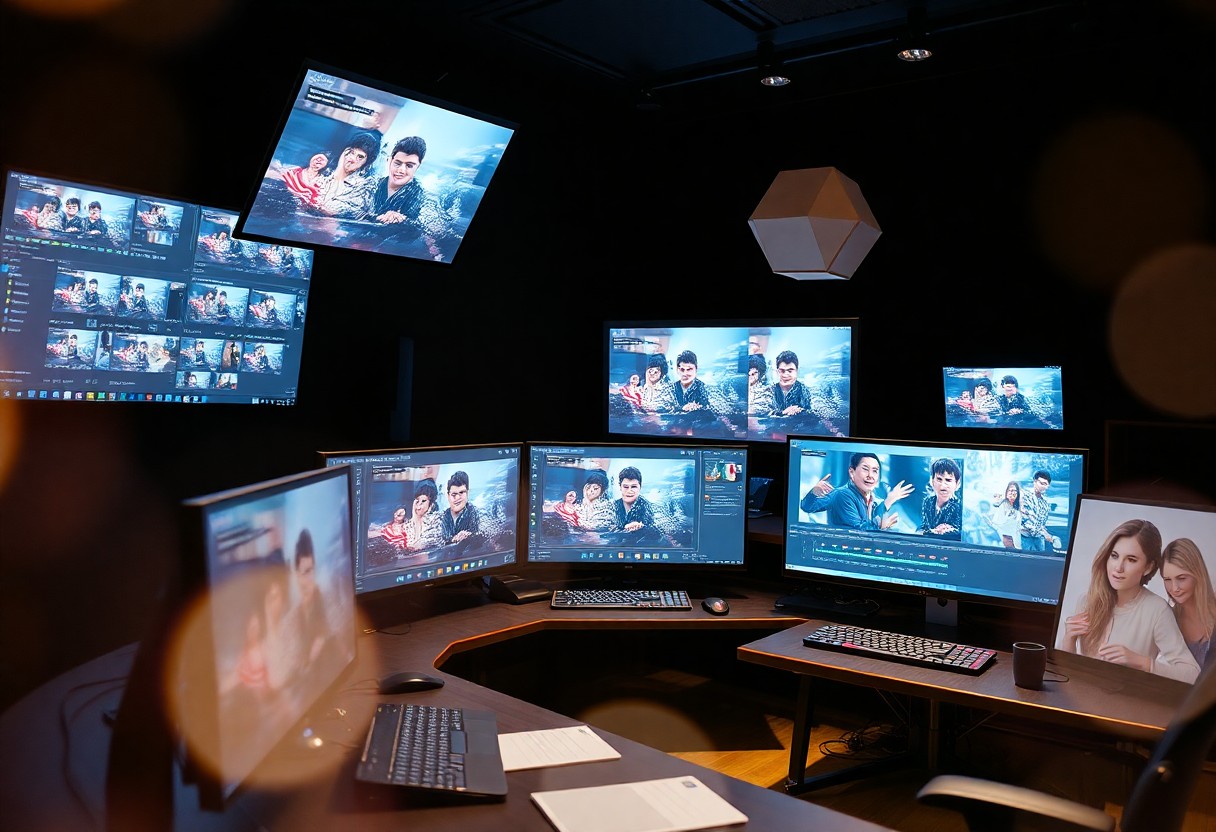
With respect to editing your explainer video, selecting the right tools can significantly enhance your final product. Software like Adobe Premiere Pro provides advanced editing features, allowing you to adjust audio levels, color correct footage, and add effects to give your video a polished look. Similarly, Final Cut Pro is another robust choice favored by professionals for its user-friendly interface and superior rendering speed. For those who prefer more straightforward options, iMovie or Filmora can handle basic editing tasks effectively without overwhelming you with options.
Don’t overlook online tools like Canva or Kapwing, which offer integrated video editing features that are ideal for quick fixes and professional touches alike. These platforms typically include templates specifically designed for explainer videos, making it simpler to maintain visual consistency throughout your project. The flexibility of cloud-based editing tools also means you can easily collaborate with team members and access your project from anywhere, enhancing your workflow and efficiency.
As you edit, ensure you utilize features like timeline editing for precise control over transitions and cuts. This allows you to sync voiceovers and background music seamlessly, creating a harmonious audio-visual experience that keeps viewers engaged. A well-edited video can maintain a steady pace, drawing viewers in without losing their attention and making your message resonate more effectively.
Fine-Tuning Your Video for Maximum Impact
After polishing your video, probe the fine-tuning stage to maximize its impact. Start by reviewing your video from a viewer’s perspective. Are there sections that drag on? Is the message clear, and does it align with the visuals? A great practice is sharing a test version with a small audience for feedback. Their insights can help identify areas that might need adjustment, addressing concerns you may have overlooked. Enhancements such as incorporating dynamic text overlays or animated graphics can clarify your message and keep it visually appealing.
Next, pay close attention to the pacing of your video. A study by Wistia revealed that videos shorter than 2 minutes retain 70% of viewers, while those exceeding that length see significant drop-offs. By eliminating unnecessary content and tightening your script, you can ensure your explainer video communicates its message swiftly and efficiently. Utilizing engaging transitions and compelling visual storytelling not only keeps viewers’ attention but also enhances recall of the information presented.
Lastly, adding a well-crafted call to action (CTA) at the end is vital. Make sure it’s not just functional but encouraging. Highlight what you want the viewer to do next – whether it’s visiting your website, subscribing to your channel, or exploring related content. Fine-tuning these aspects can significantly boost engagement and drive conversions, making your explainer video not just informative but also impactful.
To wrap up
Presently, you have discovered how to create stunning explainer videos using chat prompts tailored specifically for your needs. By following the eight simple steps outlined, you can confidently transform complex ideas into visually engaging narratives that resonate with your audience. Whether you’re a seasoned creator or just beginning, harnessing the power of ChatGPT can enhance your creative process and streamline your video production. Your unique voice and ideas will shine through, turning viewers into engaged participants.
Your journey doesn’t end with the completion of your explainer video. Each step you undertook has equipped you with vital skills and insights to apply to future projects. By iterating on the feedback you receive, exploring new styles, and continuously refining your content, you ensure that your storytelling becomes even more impactful. The ability to experiment with prompts also means that your videos can evolve and adapt, keeping your audience intrigued and ready for more.
Ultimately, the combination of your creativity and the power of ChatGPT will allow you to produce videos that not only inform but also inspire. You now have the tools to captivate your viewers with rich visuals and clear messaging. Embrace this newfound capability, and don’t hesitate to explore multiple avenues within the video-making realm. Your journey is just beginning, and the potential for growth is exciting as you develop your skills in crafting compelling explainer videos.
FAQ
Q: What are the benefits of using ChatGPT prompts in creating explainer videos?
A: Utilizing ChatGPT prompts allows for efficient brainstorming, generating creative ideas quickly, and providing structured scripts, making the video creation process more streamlined and engaging.
Q: How can I craft a compelling script for my explainer video using ChatGPT?
A: Start by outlining your main message and key points. Use ChatGPT to generate prompts that encourage detailed responses for each section. This helps in creating a cohesive narrative that captures audience interest.
Q: What visuals should I consider to complement the audio in my explainer video?
A: Choose visuals that align with the script’s tone and content. Animated graphics, relevant images, and text overlays can effectively illustrate key concepts and help retain viewer attention throughout the video.
Q: Can ChatGPT assist with storyboarding for my explainer video?
A: Yes, ChatGPT can help outline a storyboard by suggesting scene transitions, visual elements for each section of the script, and pacing, enhancing the overall flow of your video project.
Q: How do I ensure my explainer video resonates with my target audience?
A: Tailor your script and visuals based on audience demographics and preferences. Use ChatGPT to create prompts that focus on different personas, allowing you to adapt content for maximum relevance and engagement.
Leave a Reply