







Results With Kevin AI Review (2026): Better Than ChatGPT?
Results With Kevin AI Review: The Last AI Tool You’ll Need? (2026 Update)
Is this application just another wrapper for ChatGPT, or does it actually replace your marketing team? I spent a week testing Kevin Fahey’s new AI command center to find out.
If you are anything like me, your browser tabs are a mess right now. You’ve got ChatGPT open for brainstorming, Claude for writing, maybe Gemini for research, and a separate tool for image generation. And despite paying monthly subscriptions for half of them, you’re still staring at a blinking cursor, trying to figure out how to write an email that actually sells without sounding like a robot.
We’ve all been sold the dream: “AI will do the work for you.” But the reality is usually hours spent wrestling with prompts, only to get generic, vanilla copy that screams “AI-generated.”
Enter Results With Kevin AI.
I’ve followed Kevin Fahey for years—he’s one of the few “old guard” marketers who actually does what he teaches. So when I heard he built an AI platform trained specifically on his own 7-figure marketing campaigns, I had to try it.
Does it actually write better than ChatGPT? Is it worth the annual price tag? Or is it just another shiny object?
I bought the access, ran the bots, and here is my honest, no-holds-barred review.
What Results With Kevin AI Claims To Do
At its core, Results With Kevin AI promises to be an “AI Control Center” specifically for online marketers. Unlike generic tools that try to write poetry and code and recipes, this platform is laser-focused on one thing: making money online.
The sales page makes some bold claims:
- No API Keys Needed: You don’t need to pay OpenAI or Anthropic separately; they cover the costs.
- Auto AI Switching: It claims to automatically route your request to the best model (ChatGPT, Claude, Gemini, DeepSeek, or LLaMa) for that specific task.
- Trained Bots, Not Prompts: It doesn’t just give you a text box. It gives you 60+ “AI Coaches” trained on Kevin’s 15+ years of data—meaning the output should theoretically sound like a pro copywriter, not a machine.
- “Implementation-First”: It claims you can build entire affiliate promos, sales funnels, and bonus packages in minutes, not days.
Essentially, it claims to be the bridge between “having AI” and “getting results with AI.”
First-Hand Testing: My Experience Inside The Member Area
I’ll be honest—I was skeptical about the “Auto AI” feature. Usually, tools that claim to “pick the best model” just default to the cheapest one.
I decided to put it to the test with a real-world scenario: creating an affiliate promotion for a new software launch.
I logged into the dashboard. The interface is clean, dark-mode friendly, and surprisingly intuitive. The interface is clear and uncluttered, featuring categories of “Bots” on the left side and a central workspace.
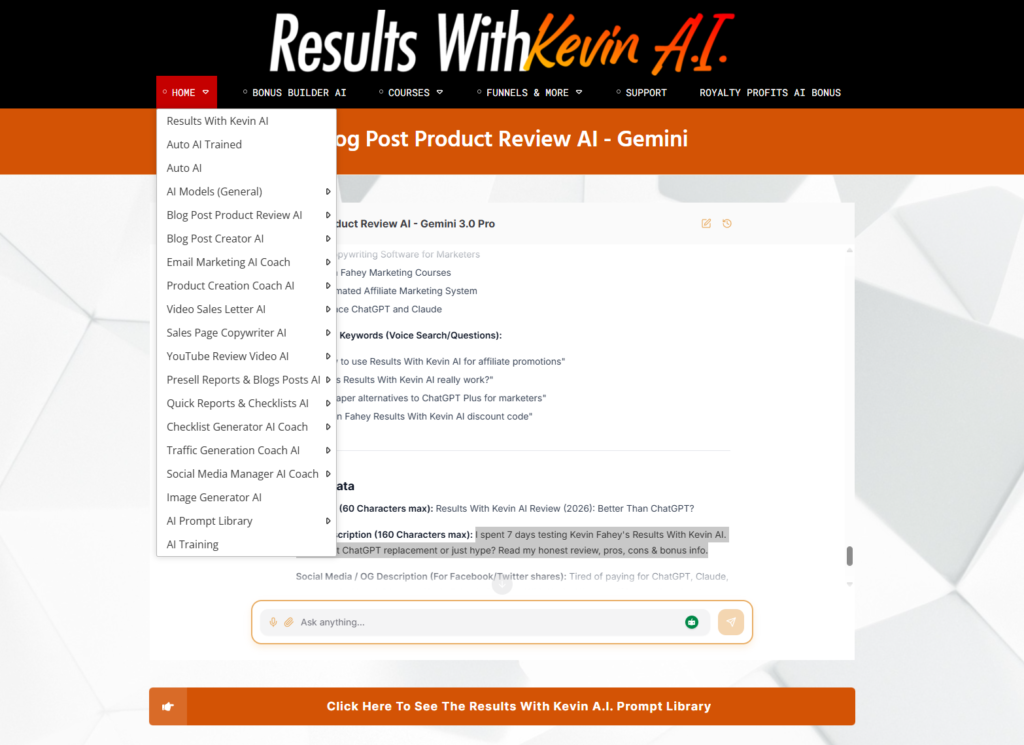
Test 1: The Email Marketing Coach
I navigated to the Email Marketing AI Coach. Instead of a blank “chat” window, the bot asked me specific questions:
- What is the product name?
- What is the main hook or unique selling point?
- Who is the target audience?
I fed it some details about a fictional productivity app. I hit enter.
The system paused for a second—I noticed a small indicator saying it was selecting the best model (it chose Claude for this task, which is generally better for copywriting)—and then it spit out a 5-day email sequence.
The result? I was genuinely impressed. It didn’t start with “I hope this email finds you well.” It started with a punchy hook about “drowning in tasks.” It used open loops. It agitated pain points. It sounded human. It sounded like Kevin Fahey wrote it.
Test 2: The Bonus Page Builder (The “Generic AI” Stress Test)
Next, I fired up the Bonus Builder AI. Honestly, this is where I expected the tool to break.
If you’ve ever used standard ChatGPT to generate bonuses, you know the pain: it usually spits out fluff like ” Time Management PDF” or “Productivity Checklist.” Those aren’t bonuses; they are space-fillers that kill conversions.
I wanted to see if Kevin’s “trained” bots were actually different, so I gave it a real scenario: create a high-value bonus stack for a productivity app promotion.
The result actually surprised me. It didn’t just give me topics; it gave me angles.
Instead of generic titles, it generated 5 distinct assets with high perceived value, such as:
- “The ‘Zero-Inbox’ Weekend Protocol” (Instead of “Email Tips”)
- “The 15-Minute Focus Audio Track” (Instead of “Meditation Guide”)
It wrote the descriptions, the benefit bullets, and the value justifications for each one. It felt like it was written by a copywriter who understands that bonuses are meant to overcome objections, not just add weight.
I didn’t have to rewrite the titles to make them sound sexy—they were ready to paste onto a landing page immediately.
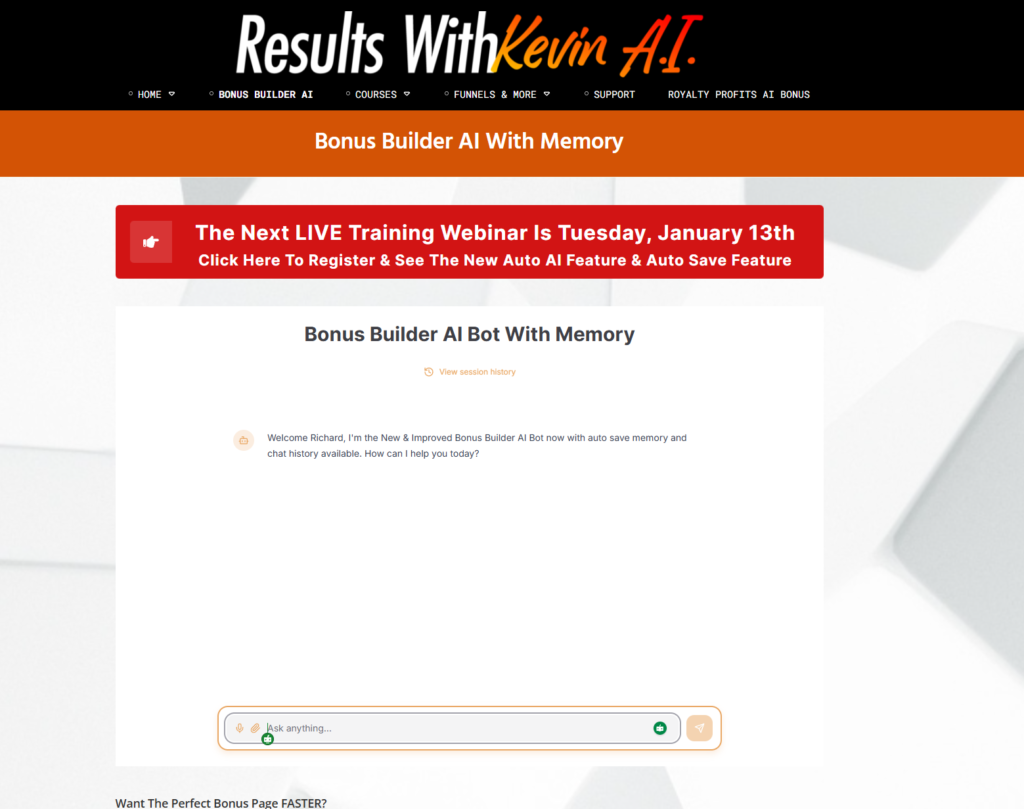
Test 3: The “Nano Banana” Image Generator
Finally, I needed an image for a blog post. I went to the Image Generator AI. I typed in “Cyberpunk-style workspace with glowing blue screens.”
It didn’t have the infinite tweaking options of Midjourney, but it produced a high-quality, usable image in about 15 seconds. For a blog post header or social media tile, it was perfect.
How It Works (The Simple Workflow)
The platform is designed to stop you from “prompt engineering” and start “building.” Here is the typical workflow I found myself using:
- Select Your Goal: detailed menus let you choose what you want to build (e.g., “Write a VSL,” “Create a Checklist,” “Plan a Launch”).
- Input Your “Raw Data”: You answer 3-5 specific questions the bot asks. You don’t need to be creative here; just factual.
- Auto-Optimization: The system runs your inputs through Kevin’s proprietary prompts and selects the best LLM (Large Language Model) for the job.
- Refine & Export: You get the output in a formatted window. You can ask for tweaks (“Make it funnier,” “Shorten the subject line”), and the bot remembers the context (thanks to the Auto Save feature).
Features Translated Into Benefits
There are a lot of features packed in here, but here is what they actually mean for you:
- Auto AI Model Switching:
- The Feature: The system picks between GPT-4o, Claude 3.5, Gemini 1.5, etc.
- The Benefit: You stop suffering from “Model FOMO.” You don’t need to pay $20/mo to OpenAI and $20/mo to Anthropic. You get the logical reasoning of GPT and the creative writing of Claude in one subscription.
- 60+ Trained “Coaches”:
- The Feature: Bots trained on specific tasks like “High Ticket Sales” or “YouTube Reviews.”
- The Benefit: You get expert-level strategy baked into the copy. You aren’t just getting words; you’re getting a sales strategy that converts.
- No API Keys Required:
- The Feature: Kevin covers the token costs.
- The Benefit: No surprise bills at the end of the month. You use the tool as much as you want (within reason) without watching a meter ticking up.
- Training Library Included:
- The Feature: Access to 20+ of Kevin’s past courses (like Email Marketing On Fire and Traffic Shotgun).
- The Benefit: This is huge. Even if you don’t use the AI, the education alone is worth the price. You learn why the copy works, not just how to generate it.
Pros & Cons
No product is perfect. Here is the good and the bad from my testing.
Pros
- Cost-Effective: If you subscribe to ChatGPT Plus and Claude Pro, you’re paying $480/year. This tool gives you access to both models (and more) for significantly less.
- High-Quality Output: The “training” on the bots is real. The copy is significantly better than raw ChatGPT.
- Unified Workspace: “Auto Save” is a lifesaver. I could switch between writing an email and creating a checklist, and my previous chat was precisely where I left it.
- Education + Tools: The inclusion of the training library makes this a “business in a box” rather than just a software tool.
- Nano Banana Image Gen: Having image generation built-in saves me from paying for Midjourney or Stock photos.
Cons
- Overwhelm: There are so many bots and courses. A complete beginner might log in and feel paralyzed by the choices.
- Dependency: You are building your business on Kevin’s platform. If the site goes down, you lose access to your “brain.” (Though this is true of any SaaS).
- Not a “Chat-with-PDF” tool: Unlike some other tools, this isn’t designed to upload 500-page PDFs and chat with them (at least not in the standard workflow I tested). It’s focused on creation.
Who This Is For (And Who Should Avoid It)
This is a MUST-BUY if:
- You are an Affiliate Marketer: The “Bonus Builder” and “Promo Email” bots alone will pay for the subscription in one launch.
- You are a Product Creator: The ability to generate checklists, VSL scripts, and sales pages in one place drastically speeds up launch time.
- You are “Tech-Averse”: If setting up API keys and managing multiple logins stresses you out, this “all-in-one” solution is perfect.
Skip this if:
- You are a Developer/Coder: This tool is for marketers. It’s not designed to debug Python code or write complex scripts.
- You are happy with free ChatGPT: If you only use AI to summarize articles or write birthday poems, you don’t need the power (or the cost) of this tool.
Comparison With Alternatives
| Feature | Results With Kevin AI | ChatGPT Plus | Jasper / Copy.ai |
|---|---|---|---|
| Price | ~$15-$25/mo (billed yearly) | $20/mo | $49-$99/mo |
| Models | All Top Models (GPT, Claude, Gemini) | GPT Only | Varied |
| Marketing Training | Included (20+ Courses) | None | Academy (Basic) |
| Specialized Bots | 60+ Expert Trained | Custom GPTs (User-made) | Templates |
| API Cost | Included | N/A | Included |
The Verdict: Results With Kevin AI wins on value. It provides the multi-model access of high-end tools but at a price point closer to a basic Netflix subscription.
Pricing, Upsells & Funnel Breakdown
One thing I appreciate about Kevin Fahey is his transparency. He states right on the page: “No Upsells. No Traps.”
Here is the breakdown:
- Trial: $4.95 for full access to test it out. (Highly recommended if you are on the fence).
- Standard Plan: $187/year. Good for starters, but limits some advanced models.
- Pro Plan (The Sweet Spot): $297/year (often discounted to $247/year).
- This gives you Unlimited Access to all models (Claude, Gemini, etc.).
- Priority Support.
- Reseller Access.
Hidden Deal Alert: While browsing, I noticed a “Skip Trial” option that locks in the Pro plan for $247/year. That breaks down to about $20/month. Considering ChatGPT Plus is $20/month for just ChatGPT, this is a steal.
Value Analysis: Is It Worth The Money?
Let’s do the math.
To replicate what you get inside Results With Kevin AI, you would need:
- ChatGPT Plus Subscription: $240/year
- Claude Pro Subscription: $240/year
- Midjourney or Stock Photo sub: $100+/year
- Marketing Courses (Email, Traffic, Funnels): $1,000+ (conservatively)
Total Value: $1,580+ per year.
Cost of Results With Kevin AI: $247/year.
From a purely financial standpoint, if you use AI for marketing, this is a no-brainer. You are getting top-tier model access plus a marketing education for the price of one standard AI subscription.
Final Verdict & Rating
I review a lot of software, and most of it is “shelf-ware”—tools you buy, use once, and forget.
Results With Kevin AI is different. It feels like a workspace. It’s a tool built by a marketer for marketers. The output is usable immediately, the “Auto AI” feature saves time and brainpower, and the included training library is a massive bonus that adds tangible value beyond just the software.
If you are serious about making money online and want to leverage AI without becoming a “prompt engineer,” this is the tool to get.
My Rating: 4.8 / 5 Stars (Points deducted only because the sheer volume of features can be overwhelming at first glance).
Strong Call To Action
Don’t just take my word for it. The best way to see if this fits your workflow is to try it yourself.
You can grab a full-access trial for just $4.95. Go in, generate a few email campaigns, create a bonus page, and test the “Auto AI” feature. If it doesn’t save you 10 hours of work in the first week, cancel it.
[Click Here To Start Your $4.95 Trial of Results With Kevin AI]
Or, if you’re ready to commit and save some cash, use the link below to skip the trial and save 49% on the yearly plan.
[Click Here To Get The Instant Discount ($247/Year Deal)]
Note: I am an independent reviewer. If you purchase through my links, I may earn a commission at no extra cost to you. I only recommend products I have personally tested and believe in.

Leave a Reply